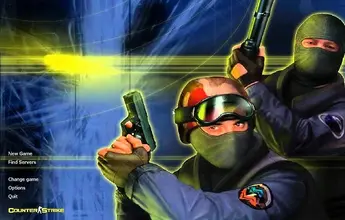
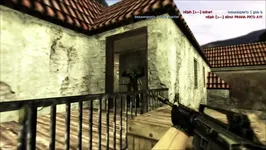
Counter-Strike 1.6 remains one of the most iconic and played tactical First-Person Shooters in gaming history. Decades after its initial release, the CS 1.6 community remains vibrant, backed by thousands of active classic, CSDM, GunGame, and Zombie servers worldwide.
If you are looking for a clean CS 1.6 installer with zero ads, no lag, and maximum FPS stability (100 / 1000 FPS), you have come to the right place.
Why Choose This Version of CS 1.6?
Many downloadable CS 1.6 setups online come bloated with modified models, annoying menu ads, or malicious scripts (slowhack) that corrupt your game config and force auto-connections to random servers.
Our installer is fully optimized, secured, and built for maximum performance on modern operating systems.
Key Features & Enhancements
- Anti-Slowhack Protection: Game files, keybinds, and configurations are secured against unauthorized server modifications.
- Updated MasterServer: Access hundreds of active global and local servers directly from the Find Servers tab.
- 100% Original & Clean: Features original player models, weapon skins, standard audio, and official competitive maps (
de_dust2,de_inferno,de_nuke,de_train). - Modern OS Compatibility: Fully patched for flawless performance on Windows 10, Windows 11, as well as older systems.
- Optimized Config for Low Ping & High FPS: Pre-configured rate settings to ensure smooth hit registration and zero FPS drops.
Comparison: Clean CS 1.6 vs. Modified Builds
| Feature | Clean CS 1.6 Build (Recommended) | Other Modified Setups |
| Download Size | ~280 MB (Ultra-fast install) | > 800 MB (Bloated with HD models) |
| File Protection | Read-Only Config & Security Patches | Vulnerable to server exploits & slowhacks |
| FPS & Performance | Stable 100 / 1000 FPS | Frequent FPS drops due to heavy graphics |
| In-Game Menu Ads | None | Cluttered with custom server redirects |
| Compatibility | Windows 7 / 8 / 10 / 11 | Compatibility crashes on newer GPUs/OS |
System Requirements for CS 1.6
Counter-Strike 1.6 is highly lightweight and runs smoothly on virtually any modern PC or laptop.
Minimum System Requirements
- OS: Windows XP / Vista / 7 / 8 / 10 / 11
- Processor: 500 MHz Intel / AMD CPU
- RAM: 96 MB
- Graphics: 16 MB Video Card with OpenGL / Direct3D support
- Storage: 800 MB available space
- Internet: Broadband Connection for multiplayer
Recommended System Requirements
- OS: Windows 10 / 11 (64-bit)
- Processor: 1.2 GHz or higher
- RAM: 512 MB+
- Graphics: 128 MB DirectX 9 compatible Video Card
- Storage: 1 GB available space
How to Download and Install CS 1.6
Getting started takes less than two minutes. Follow these simple steps:
- Download the Setup File: Click the official download link below to fetch the
.exeinstaller. - Run the Installer: Open the downloaded file and follow the step-by-step setup wizard.
- Select Installation Path: Choose your preferred directory (e.g.,
C:\Games\Counter-Strike 1.6). - Launch the Game: Double-click the shortcut on your desktop, go to Find Servers, and jump straight into action!
Frequently Asked Questions (FAQ)
Is this CS 1.6 download completely free?
Yes, this installer is 100% free to download and play without any hidden fees or subscriptions.
Can I play online on any server?
Absolutely. The included MasterServer automatically populates your server browser with active public servers. You can also add custom IP addresses to your Favorites tab.
Does this version work on Windows 11?
Yes, the game executable has been updated with modern DirectX wrapper fixes to prevent black screen issues and resolution bugs on Windows 11 and Windows 10.
How do I enable 100 FPS in CS 1.6?
Open the developer console (
~) in-game and enter the following commands:
fps_max 101cl_updaterate 101cl_cmdrate 101- Make sure Vertical Sync (V-Sync) is disabled in your GPU control panel settings.
Leave a Reply